
You did the work. Billbooks makes the getting-paid part quick and professional, from a branded invoice to a paid notification, without the admin eating your evening.
Rebuilding the same invoice in a document, remembering who has not paid, chasing it without sounding rude, then doing it all again next month. Billbooks turns that into a few clicks, so the money side of freelancing stops stealing time from the actual work.
Send a branded invoice
Pick the client, add your line items, and send a clean, professional invoice with your logo in minutes.
Reminders chase for you
Billbooks nudges clients automatically as the due date nears and passes, so you never have to send the awkward follow-up yourself.
Clients pay online
Connect a payment gateway and let clients pay straight from the invoice, so you get paid faster.
Know the moment it lands
The invoice flips to Paid on its own and the balance updates, no manual reconciling.
Your logo, your colours, itemized lines, taxes, and terms, all consistent on every invoice and quote you send. Clients see a professional, not a document knocked together in a hurry.
Quote first, invoice later
Send a polished estimate to win the project, then turn the approved quote into an invoice in one click. No copying line items across.
Retainers on autopilot
Put recurring clients on a schedule and Billbooks raises and sends the same invoice every month on its own.
Bill clients anywhere
Invoice in your client's currency and language, so overseas work is as simple to bill as local work.
See who owes what
One screen shows every outstanding invoice and overdue client, so nothing slips through between projects.
Track expenses and receipts
Log project costs and reimbursables, attach the receipt, and add them straight onto the client's invoice.
Reports at tax time
Pull what you earned and what you spent when the tax deadline comes, without rebuilding it from your inbox.
Whatever you bill for, Billbooks fits the way you invoice.

Real people who send their own invoices
★★★★★
“I used to hate sending invoices and payment reminders. I never imagined a boring, cumbersome task could be this intuitive and fun.”
★★★★★
“I used to waste hours on invoicing. With Billbooks it is all done before my coffee gets cold, so I focus on growing my store.”
★★★★★
“We are always on the move, and Billbooks keeps our billing just as fast and reliable. No training needed, just invoices out and money in.”
An app so good you will want to get tasks done instead of putting them off. Stay on track and keep your cashflow going.
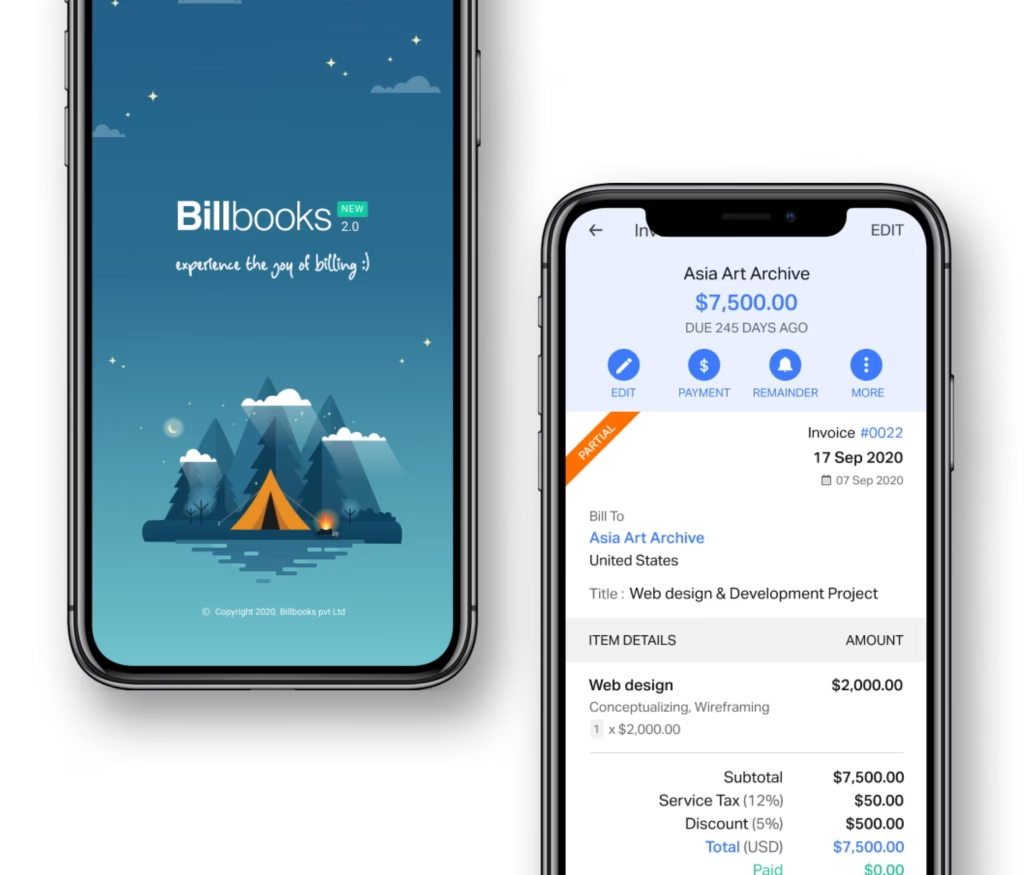
The best invoicing software for a freelancer sends branded invoices, chases them automatically and does not charge per feature. Billbooks costs $7.95 a month with recurring invoices, payment reminders, quotes, multi-currency and digital signatures all included on the cheapest paid plan.
Billbooks costs $7.95 a month on Basic, which is the plan most freelancers stay on. Every feature is included on every paid plan, so higher tiers add more users, clients and projects rather than unlocking functionality. Every plan starts with a 30-day free trial and no card.
Yes. Billbooks issues invoices in the client currency while you keep reporting in your own, recording the exchange rate at the invoice date, and it can send the invoice in the client language. That suits freelancers billing clients abroad.
No. Billbooks is invoicing and quoting software, not accounting software. It does not do double-entry bookkeeping, payroll or tax filing. Freelancers use it to bill and get paid, and hand the books to an accountant or a separate accounting package.
Billbooks sends automatic payment reminders on a schedule you set, before and after the due date, so chasing happens without you writing the awkward email. You can also add a late fee, agreed in advance, that appears on the reminder.
You connect your own payment gateway, so clients can pay by card or bank transfer from the invoice itself, and the invoice carries a scan-to-pay QR code. Because the gateway is yours, the processing rate is whatever you have negotiated.
Yes. Billbooks can apply a late fee as a flat amount or a percentage of the balance. To be enforceable it needs to be agreed in advance, normally in your terms and restated on the invoice, which Billbooks does automatically.
Yes. It is built to be quick for solo freelancers, no accounting background needed, while still handling clients, quotes, recurring invoices, and expenses as you grow.
Yes. Connect a supported payment gateway and clients can pay directly from the invoice, which usually means you get paid faster.
Yes. Automatic payment reminders go out as the due date approaches and passes, so you do not have to send the follow-up yourself.
Yes. Billbooks supports multiple currencies and languages, so you can bill overseas clients in their own currency and language.
One flat price with unlimited invoices and clients, and a 30-day free trial with no credit card required.
A little kit of calculators and generators, on the house.
30-day free trial. No credit card required.
Try it FreeFreelancers usually pair this with Quotes and Estimates to win the work, Recurring Invoices for retainers, and Multi-Currency Invoicing for overseas clients. If you design interiors, price a project room by room with invoicing for interior designers. New to it? Try the free invoice generator first.
See how Billbooks compares