Fill in the details, add your logo, and download a clean, print-ready invoice as a PDF. No signup, no watermark.
Description
Qty
Rate
Amount
$0.00
How to Use the Free Invoice Generator
Zero Cost, Zero Stress - Invoices Have Never Been Easier!
Step by step guide
How to make an invoice using our online invoice generator:
Directly open the free generator invoice tool - no signup needed.
Under the " From " section, enter your business details - company name, address,
contact information, communication email, and business logo.
Enter client details - Name, Contact information, Email, and Complete Address under the
" Bill to " section.
Add line items - product and services, quantity, rate, and description if needed
Apply taxes and discounts (if applicable).
Customize, Review, & Finalize to ensure accuracy and professionalism.
How to send an invoice:
Preview and download invoices as PDFs through the invoice generator.
Send an invoice via email or share the link directly with clients and easily track payments.
Benefits of Using an Invoice Generator
Discover Our Best Invoice Generator Features & Manage Your Finances better
Save Time With Quick Invoicing: No need to spend hours on invoices when you can do it in minutes.
Our automated system is built for busy professionals who like to spend time on business rather than
paperwork.
Easy Tracking & Stay in Control: Easily make your hard work count and get paid right! Track hours
and expenses seamlessly and transform them into invoices instantly. You will get notified when your
invoice is viewed, paid or pending.
Customize In Your Way: Build invoices uniquely yours. Modify templates, choose colours, add your
logo and mention business terms - all reflecting your brand effortlessly.
Stay Secure & Backed Up: No risk, security ensured. Every transaction and piece of data stays
protected with encrypted sharing, providing you peace of mind.
Smart Reminders for Better Cash Flow: Automated payment reminders mean you'll never miss a due date, and
you can politely prompt your clients for payment so you will get paid on time.
Borderless Invoicing: Global business and clients? We've got you covered. Billbooks' free online
invoice generator supports multi-language and multi-currency, making invoicing smooth, more
professional, and barrier-free.
Access Anytime, Anywhere: Whether you're in the office, at home, or working remotely, your invoicing
tools travel with you. With the mobile-friendly Online invoice generator, you can access, edit, and
send invoices on the go.
Automate recurring invoices: Do you have some weekly, monthly, and yearly clients that give you
regular business? Set up automated invoices for regular clients with flexible scheduling and make
recurring billing a breeze.
Built-In Payment Integrations: Enjoy faster payments with Stripe & PayPal, as well as other payment
gateways. It's safe, fast, and offers a better client experience.
What to include on a professional invoice
A clear invoice leaves no room for questions and gets paid faster. Every invoice you send should carry:
The word "Invoice" and a unique invoice number, so both sides can reference it later.
Your business details: name, address, email, phone, and your logo if you have one.
Your client's details: who the invoice is billed to.
Issue date and due date, so the payment deadline is unambiguous.
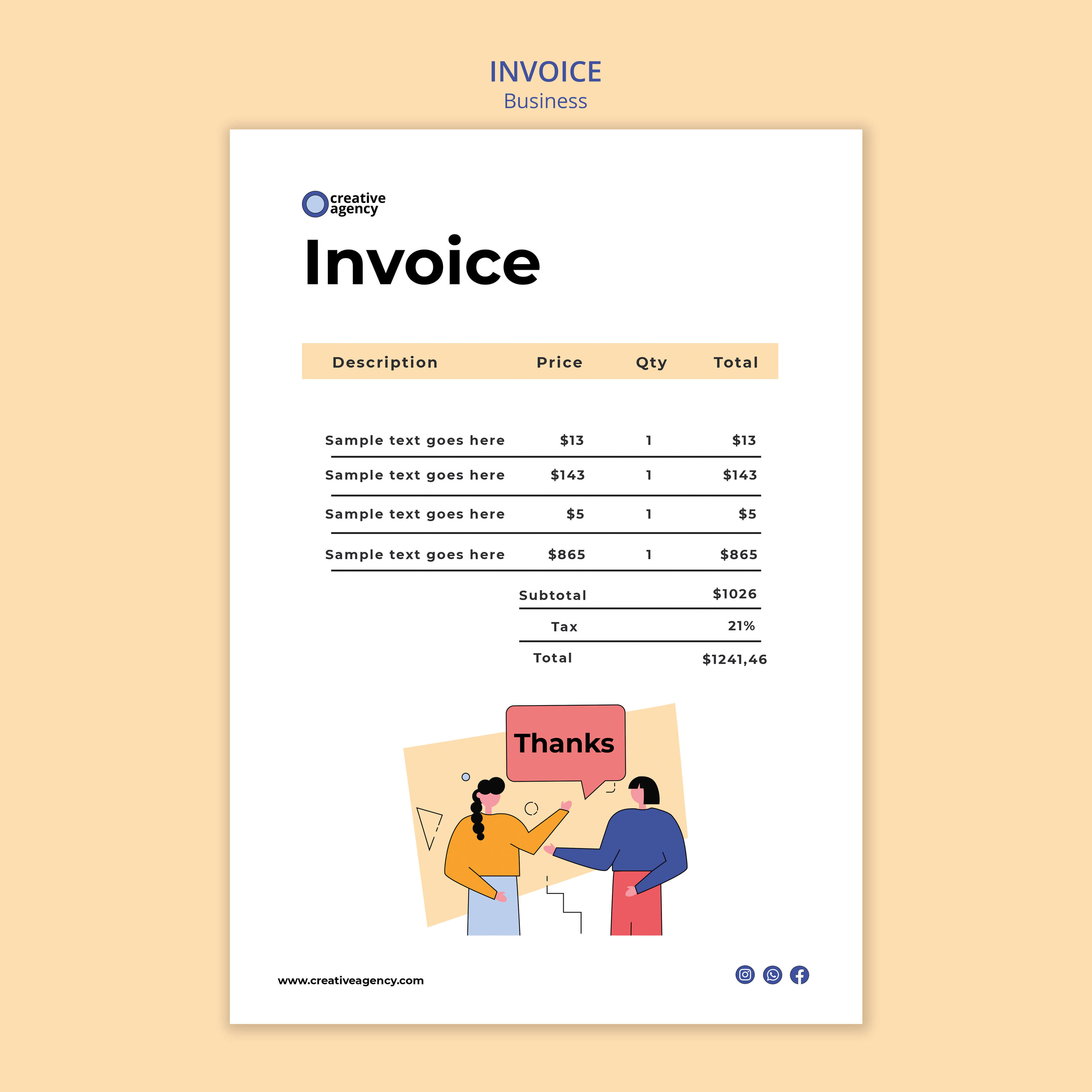
A line-by-line breakdown: description, quantity, rate, and amount for each item or service.
Subtotal, tax, any discount, and the total due, with the currency clearly shown.
Payment terms and accepted payment methods.
This generator lays all of it out for you, so a complete, professional invoice takes a minute instead of an afternoon.
How to number your invoices
A consistent invoice number keeps your records tidy and makes tax time far easier. Pick one pattern and never reuse a number:
Sequential
INV-0001, INV-0002, INV-0003. Simple and hard to get wrong.
Dated
2026-001, 2026-002, resetting each year so the year shows at a glance.
Client-based
ACME-001 when you want to group invoices by customer.
Whatever you choose, keep the format the same every time. Gaps or duplicates make a missing payment hard to spot.
Invoice payment terms, explained
Payment terms tell your client exactly when payment is due. The common ones are:
Due on receipt
Payment is expected as soon as the invoice arrives.
Net 7, 15, 30
Payment is due within 7, 15, or 30 days of the invoice date.
Deposit or milestone
Part upfront, the rest on completion, common on larger projects.
State the terms on every invoice and agree them before you start work. A shorter term and a clear due date tend to get you paid sooner.
From our invoice data: Shorter terms bring the money in sooner: invoices due on receipt are paid in 15.9 days on average and Net 30 invoices in 47.2 days, while the share paid by the due date barely changes (39.1% against 42.3%).
Source: Billbooks invoice payment study, 53,095 paid invoices from 180 businesses, 2007 to August 2026. See the invoice payment study
Skip the blank page
Fill in your details once and reuse them on every invoice, with your logo, your terms, and totals worked out for you.
Quick, Easy & Professional Invoicing At Your Fingertips- Get All Other Details Here
A free invoice generator is an online tool that simplifies complicated invoicing. It allows
you to create sleek, professional, and ready-to-send PDF invoices instantly. Just fill in
the required information, add service and item details and rates, hit download, and send
them to clients.
Yes, the online invoice generator allows easy customisation. You can add your business logo
to your invoice template to create a professional brand image.
Yes. When you create a free Billbooks account, client names and details you enter are saved
automatically, so you don't have to retype them the next time you invoice the same client.
Absolutely. The online invoice generator tool lets you create, download PDFs, and send
invoices for free. There is no need to sign up or pay any hidden charges.
Yes, the free invoice generator tool facilitates easy transactions in multiple currencies,
such as USD, EUR, INR, and others, thereby ensuring seamless and trouble-free interactions
with global clients and international transactions.