
Wave has a free plan, which is a real draw. But its branding and automation sit behind the $19 Pro plan, its payments work only in the US and Canada, and its support is gated. Billbooks includes those from the start at a flat price.
Wave lets you send invoices for free, which is great when you are starting out. The parts that make invoicing feel professional, your logo on the invoice, recurring invoices, and automatic reminders, are on the $19 a month Pro plan. Billbooks includes them on a flat $7.95 plan, and works with payment gateways beyond North America.
| Billbooks | Wave | |
|---|---|---|
| Monthly price | $7.95/mo flat | Free, or Pro $19/mo |
| Branded / logo invoices | Pro plan only | |
| Recurring invoices | Pro plan only | |
| Automatic payment reminders | Pro, or with payments on | |
| Automatic follow-ups on quotes | Invoices only | |
| Appointment scheduler | Not built in | |
| Digital signatures | Not offered | |
| QR code to pay | Checkout links only | |
| Online payments region | Depends on your gateway | US and Canada only |
| Card / bank payment fees | Your own gateway rate | 2.9% + $0.60 / 1% ($1 min) |
| Live support | Included | Pro or paid add-on only |
Wave offers a free Starter plan and a Pro plan at $19/month. Per Wave’s pricing and support documentation (August 2026): branded invoices, recurring invoices, and bank-transaction auto-import are Pro features; automatic reminders apply to invoices only and require Pro or online payments enabled; Wave has no native appointment scheduler and no e-signature (estimates are accepted with a button); payment QR codes appear on Wave Checkout links, not on the invoice. Wave payment processing is 2.9% + $0.60 per card and 1% (minimum $1) per bank payment, in the US and Canada. Billbooks connects your own payment gateway, so your rate and regions depend on that provider. Sources: waveapps.com/pricing, Wave support docs, billbooks.com/pricing.
Branding and automation included
Your logo on every invoice, recurring invoices, and automatic reminders come as standard, not as a $19 a month step-up.
Works beyond the US and Canada
Billbooks connects payment gateways used around the world, so you are not limited to two countries for taking payment.
Support you can reach
Help is included rather than reserved for paying Pro or add-on customers, so you are not on your own on the free tier.
To be straight with you: Wave’s free Starter plan genuinely costs nothing to send invoices and keep simple books, which is great if you are just starting out in the US or Canada and do not yet need branded invoices or automation. Billbooks is a flat-price tool that includes branding, recurring invoices, and reminders from the start, works with gateways beyond North America, and includes support.
One flat price, with the professional features included rather than gated.
A plan built for high-volume transactions or business models that do not fit the mold.
Contact SalesReal reviews from people who send their own invoices
★★★★★
“I used to hate sending invoices and payment reminders. I never imagined a boring, cumbersome task could be this intuitive and fun.”
★★★★★
“I used to waste hours on invoicing. With Billbooks it is all done before my coffee gets cold, so I focus on growing my store.”
★★★★★
“We are always on the move, and Billbooks keeps our billing just as fast and reliable. No training needed, just invoices out and money in.”
An app so good you will want to get tasks done instead of putting them off. Stay on track and keep your cashflow going.
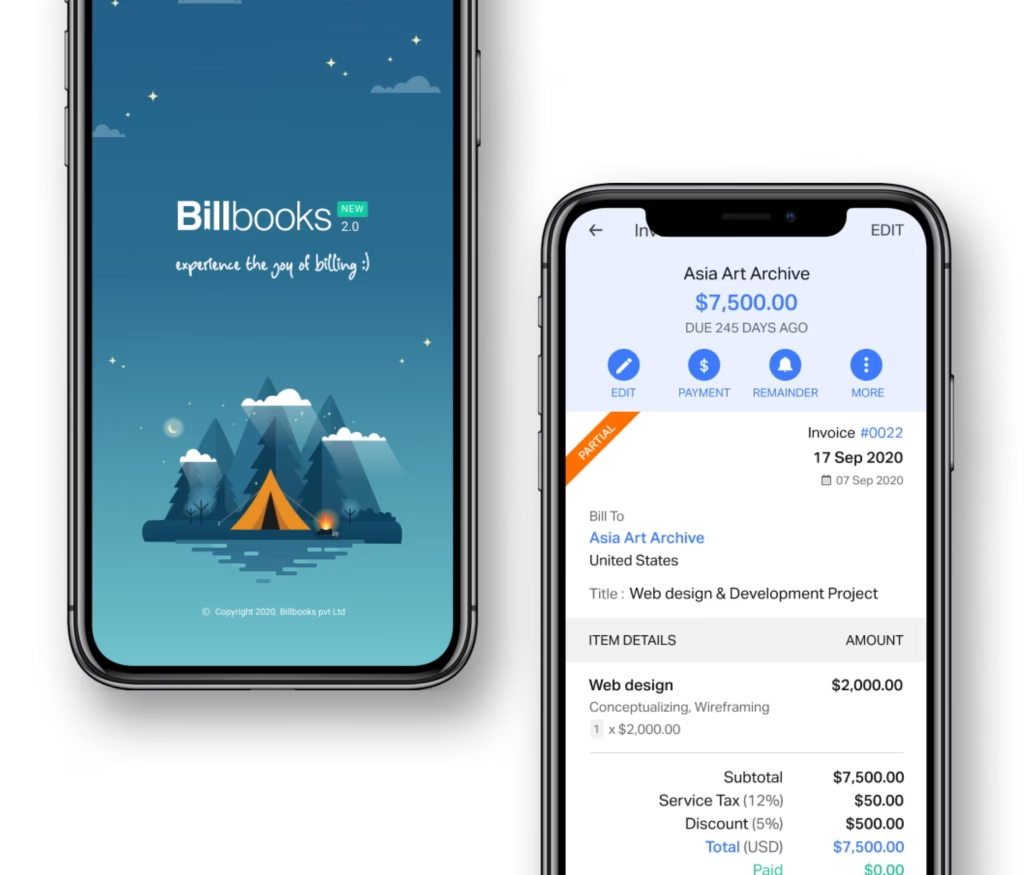
Not on the entry tier. Wave has a genuinely free Starter plan, where Billbooks costs $7.95 a month. Billbooks becomes the cheaper option against Wave Pro at $19 a month, which is the tier most businesses need.
Wave offers a free plan and free accounting alongside invoicing, which Billbooks does not match beyond its 30-day trial. For a business sending a few simple invoices and wanting basic books at no cost, Wave does something Billbooks does not.
Switch to Billbooks if you need branded invoices, recurring invoices or automatic payment reminders, all of which Wave reserves for its $19 Pro plan. Billbooks includes them at $7.95. Stay with Wave if the free Starter plan genuinely covers you.
Billbooks is the better value once you need Wave Pro features, costing $7.95 against $19 for branded and recurring invoices and reminders. Wave keeps the advantage for anyone whose needs fit inside its free tier.
Branded invoices, recurring invoices, automatic payment reminders and bank-transaction auto-import are all Pro features at $19 a month. Billbooks includes every one of them on the $7.95 Basic plan.
No. Wave automates reminders on invoices only and has no native appointment scheduler. Billbooks follows up on quotes as well as invoices and includes a scheduler on the Basic plan.
The Starter plan is genuinely free for sending basic invoices and includes simple accounting, which Billbooks does not match. The cost appears when you want branding, recurring billing or reminders, which move you to Pro at $19.
Wave is free to send basic invoices, but the professional touches, branded invoices, recurring invoices, and automatic reminders, are on its $19 a month Pro plan. Billbooks includes those on a flat $7.95 plan, so you get the full invoicing workflow for less than Wave Pro.
Wave processes card payments at 2.9% plus $0.60 and bank payments at 1% (minimum $1), in the US and Canada. Billbooks connects your own payment gateway, so your rate and available regions depend on the provider you choose.
Not on the invoicing workflow. Billbooks includes automatic follow-ups on quotes, an appointment scheduler, digital signatures, and a payment QR code on the invoice itself. Wave automates reminders on invoices only, has no native scheduler and no e-signature, and its QR codes sit on separate Checkout links rather than the invoice. Wave does include simple built-in accounting, which Billbooks keeps lighter.
With Wave, card and bank payments are limited to the US and Canada. Billbooks works with payment gateways used in many countries, so it fits businesses outside North America.
Yes. You can set up clients and start invoicing in minutes, and our team can help import your client list. A 30-day free trial with no credit card lets you try before you switch.
Yes. Support is included with Billbooks rather than reserved for paid Pro or add-on customers, so you can get help regardless of your plan.
A little kit of calculators and generators, on the house.
30-day free trial. No credit card required.
Try it FreeWeighing more than two tools? Read the Wave alternative guide, or see which apps put every feature on every plan. Comparing options? Billbooks keeps pricing flat and transparent. Popular with freelancers and small businesses. New to it? Try the free invoice generator first.
Compare Billbooks with others