
Drag in a bank statement and Billbooks lines each transaction up against the invoices and expenses you already have. Confirm a match, turn a charge into an expense, or ignore it, and your records stay in step with your bank.
Your invoices, estimates and clients are served from the network location closest to you, not from one machine on the other side of the world. Moving between a list, a new invoice and a sent document happens in the time it takes to look at it.
Invoices
New invoice
Invoice #1042
Awaiting paymentSent to the client
DeliveredEstimates
Line by line, you tick a bank statement against your invoices and receipts, hoping nothing was missed. Billbooks does the matching for you, flags what it could not place, and lets you clear each one with a click, so your books and your bank actually agree.
Upload a statement
Drag in up to five statements at once, as CSV, OFX/QFX, or PDF.
Billbooks matches it
Each transaction is lined up against the invoices and expenses already in your account.
Confirm, create, or ignore
Confirm a match, turn an unmatched charge into an expense, or ignore what does not belong.
Nothing slips through
Everything sits in Unmatched, Confirmed, Created, or Ignored, so you always know what is left.
CSV, OFX/QFX, or PDF bank statements, up to five at a time, 3 MB each.
It lines each line up against your existing invoices and expenses by amount and date, and flags anything it cannot place.
Turn it into an expense in one click, or ignore it if it does not belong. Either way it leaves your Unmatched list.
Yes, included at the one flat price.
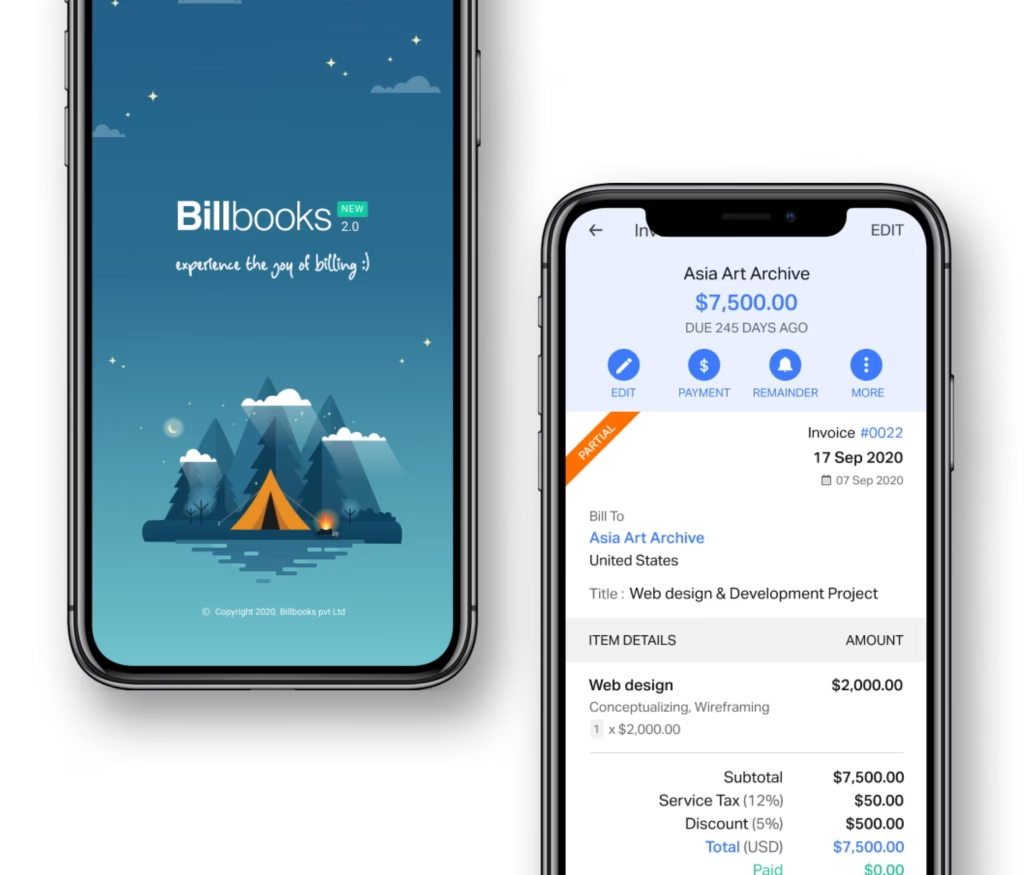
An app so good you will want to get tasks done instead of putting them off. Stay on track and keep your cashflow going.
A little kit of calculators and generators, on the house.
30-day free trial. No credit card required.
Try it FreeWorks with Invoicing for the payments it matches, and Expenses and Items for the charges it turns into costs. Or try the free invoice generator first.
See how Billbooks compares