Billbooks 3.0 is out on Google Play and the App Store. It is a rebuild rather than a round of additions: a new dashboard, every screen reworked, and a good deal that used to be web only now working on the phone.

The three days between finishing and invoicing
Almost nobody puts off invoicing on purpose. It happens because the job finishes somewhere that is not your desk, and the invoice needs your desk. So it waits for the evening, and the evening has other plans, and it goes out on Friday instead.
Those days are worth being precise about, because they are not admin.
The typical invoice is paid 9 days after it is issued; one in ten takes 57 days or longer. Not nine days after the work finished: nine days after the invoice went out. The clock starts when you send it.
Which means a three day gap between finishing and invoicing is three days added to the front of a wait that was always going to happen. It is also the only part of the wait that is entirely yours to control. You cannot make a client pay faster by wanting it, but you can stop starting the clock late.
That is the whole case for doing the paperwork where the work is, and it is what the app is for.
Write the invoice while you are still standing there
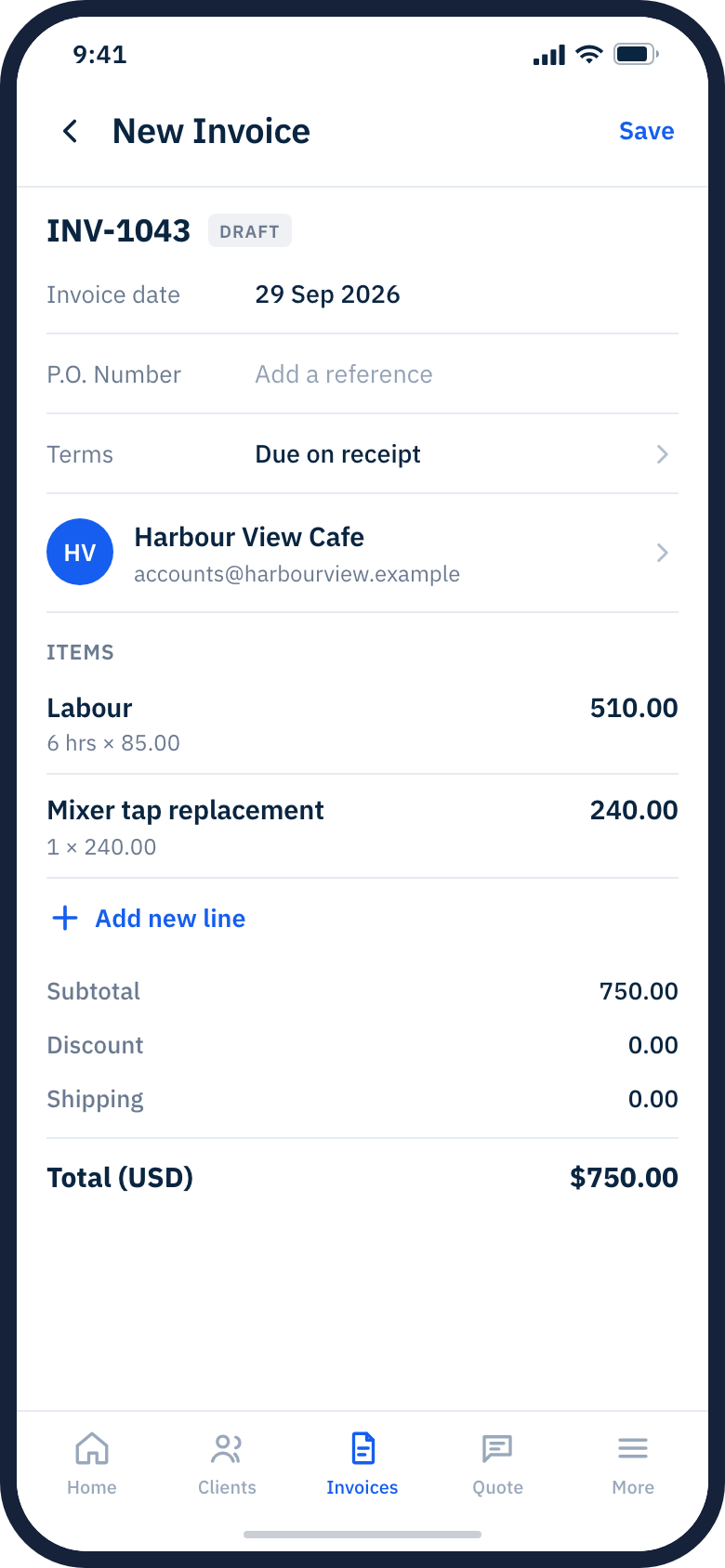
Pick the client, add the lines, send it. Hours and parts, a discount, shipping, a note, and a signature on the screen if the job wants one. It carries your numbering and your branding, so a client cannot tell whether it came from a phone in a driveway or a laptop at a desk.
One detail in that screen is worth pointing at. The terms say due on receipt, which is both what most people use and, in our data, what gets paid fastest.
Shorter terms bring the money in sooner: invoices due on receipt are paid in 15.9 days on average and Net 30 invoices in 47.2 days, while the share paid by the due date barely changes (39.1% against 42.3%).
Know who owes you without opening a laptop
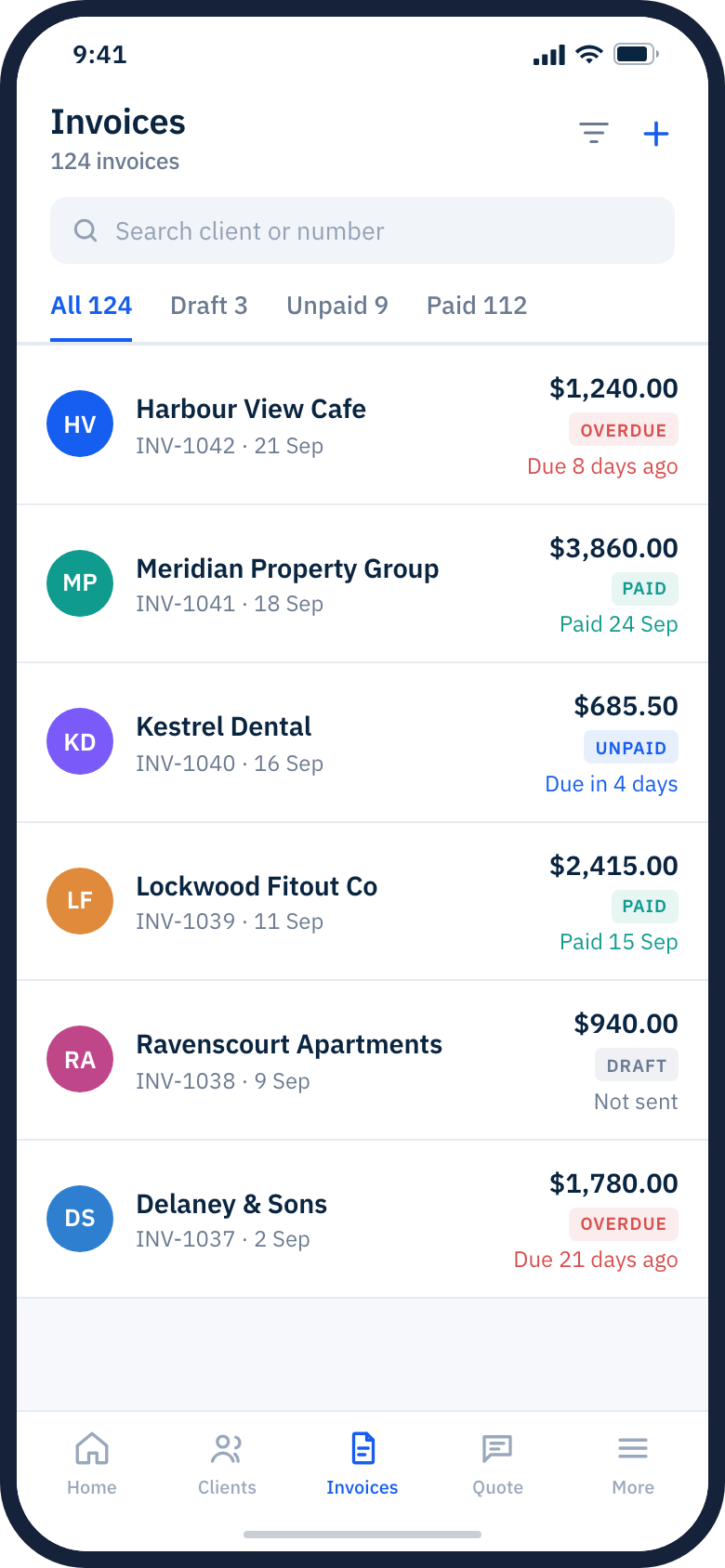
Every invoice with its status on it, filtered down to the ones that need you: drafts you never actually sent, unpaid, and overdue with the number of days on the badge. Search by client or by number. If you bill in more than one currency, each invoice shows its own.
This matters more than it sounds, because late is the normal case rather than the exception.
About 65% of paid invoices are paid after their due date (6,951 paid invoices, 67 businesses). Most invoices are due on receipt, so almost any payment after the day an invoice is sent counts as late.
So the useful question is never "is anything late", it is "which ones, and how late", and that is a screen you can check in a car park.
The hours nobody writes down
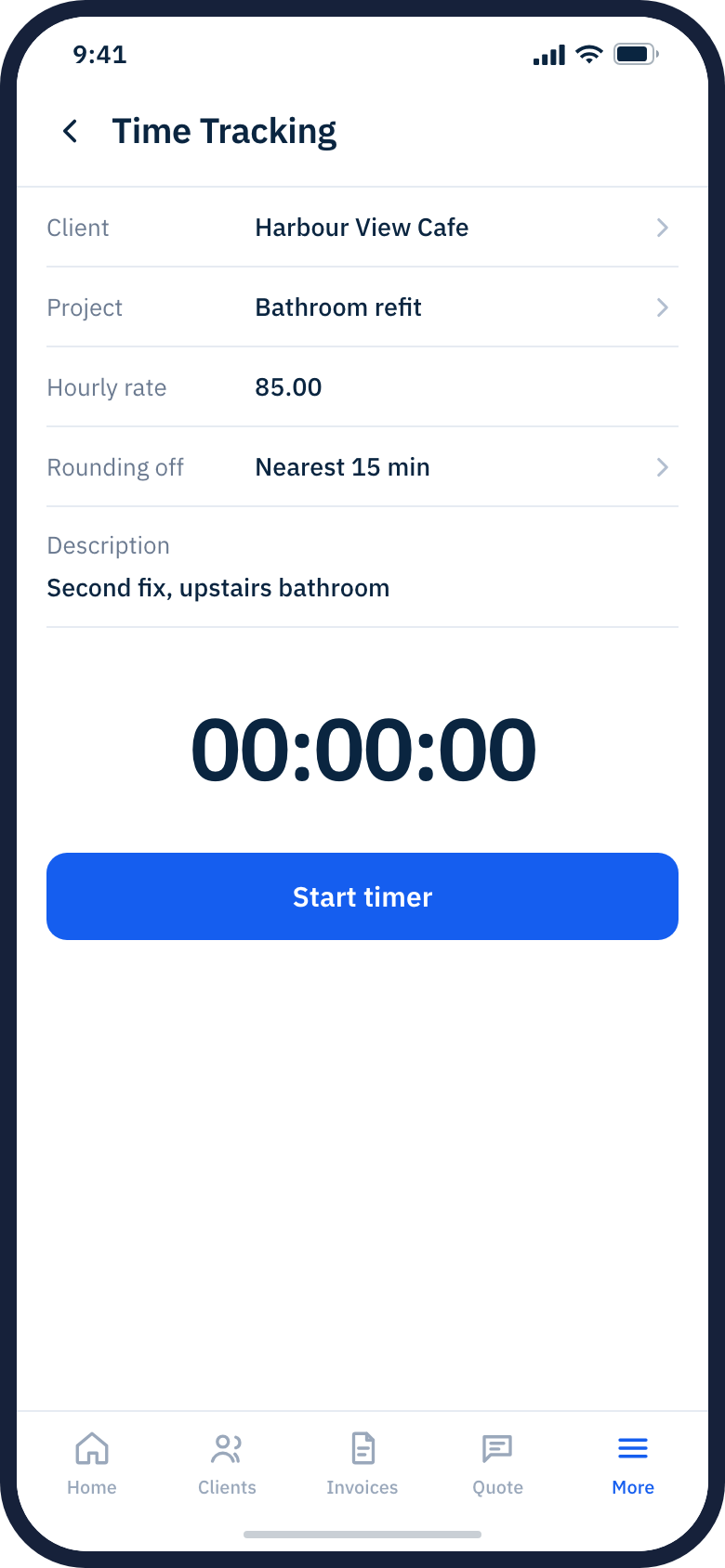
Start a timer against a client and a project, at that project's rate, rounded the way you round. Stop it, and the hours are sitting there when you write the invoice.
The half hour on the phone, the trip back for a part, the twenty minutes explaining the quote again. None of those get written down, because at the time you are working and not doing bookkeeping, and by Friday nobody can reconstruct them honestly. This is the difference between billing what you did and billing what you can remember, and it is almost always a difference in your favour.
Seven reports, and the whole quarter in one screen
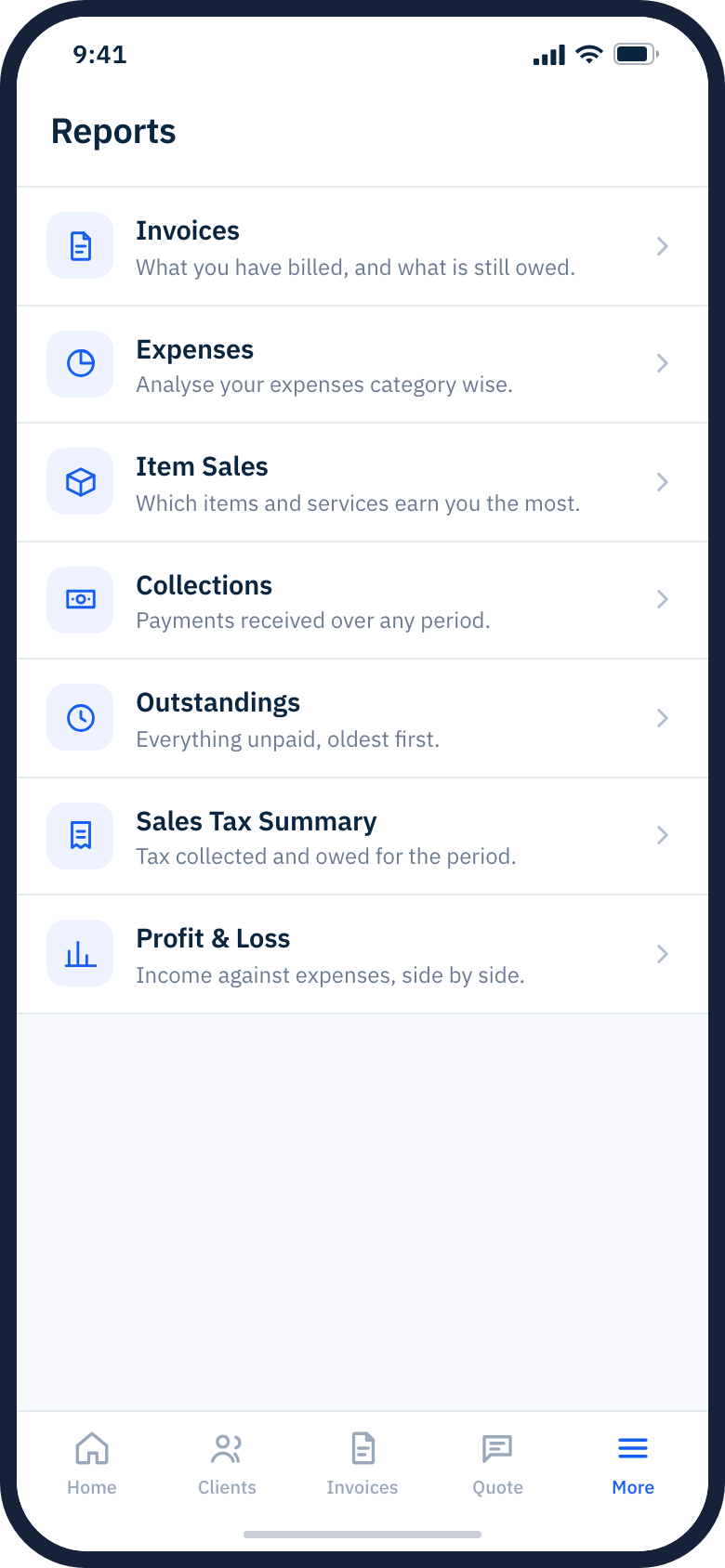
Invoices, Expenses, Item Sales, Collections, Outstandings, Sales Tax Summary and Profit and Loss, all on the phone rather than only on the desktop. Outstandings is the one most people open, because it is everything unpaid with the oldest first. Item Sales is the one that tends to surprise people about which work actually earns.
The dashboard sits on top of that with sales, expenses, your quote conversion rate, recurring revenue, and the amount you have worked but not yet invoiced, for whichever period you pick. That last figure is the one to watch. It is money you have already earned that nobody has been asked for yet.
What 3.0 brings to the phone
- A rebuilt dashboard, and reworked headers and layout across every screen
- Proforma invoices and credit notes
- Expenses, including putting an expense on an invoice
- Items with unit of measure
- Projects, and time tracking against them
- The seven reports
- Signing up and verifying your email inside the app, rather than having to start on the web
- Online payments: Stripe, PayPal, Braintree and Authorize.net can be switched on from the app
- Sending feedback to us from inside the app
What is not in it
Two things are deliberately still web only, and it is better you hear it here than find out on a job.
Scanning a paper invoice or receipt with your camera is not in the app. Scanning credits work in the browser, not on the phone. That is the wrong way round for a feature whose whole point is paper, and we know it.
Xero and QuickBooks sync is web only. If you push invoices or expenses to your accounting software, that still happens from the desktop.
Two smaller ones. The app needs a connection, so it is not a basement or a dead spot tool. And iOS needs 15.6 or later, which rules out an iPhone 6 or older.
Getting it
It is free to download on Google Play and the App Store, and it is included in your Billbooks plan at no extra cost. There is no separate app charge and no separate app account: sign in with what you already use, and everything you have is already in it.
If you do not have an account yet, you can sign up and verify your email inside the app, and the 30 day trial works the same as it does on the web. There is more detail, screen by screen, on the mobile app page.
Where the figures come from
Source: Billbooks invoice data, 8,483 invoices from 112 small businesses, September 2024 to September 2026 (aggregate only, figures shown only where 25+ businesses contribute).
Source: Billbooks invoice payment study, 53,095 paid invoices from 180 businesses, 2007 to August 2026.