Billbooks’ free email signature generator builds a professional, on-brand signature in seconds. Add your details and logo, set two brand colors, pick from 11 templates, then copy it straight into Gmail, Outlook or Apple Mail. It works the same on any device, any operating system and any email client, no signup, no watermark, and it is built to actually render correctly, not just look good in the preview.
Why Your Email Signature Is Doing More Work Than You Think
Every email you send is a small brand touchpoint, whether it is a quote to a new client or a quick reply to a supplier. A signature with no logo, mismatched fonts, or a stray default font undercuts everything else about the message, even if the email itself is perfectly written.
For freelancers and small teams especially, the signature is often the only piece of visible branding a client sees outside the invoice itself. It is worth getting right, and it should not take a design tool or a developer to do it.
The Problem With Most Free Signature Generators
Most free generators are built and previewed in a modern browser, then break the moment they land in an actual inbox. Outlook’s desktop app (2016 and 365) renders HTML email using Microsoft Word’s rendering engine rather than a browser engine, which is exactly why signatures built with modern CSS, flexbox, grid layouts, background images, custom fonts, commonly collapse or misalign in Outlook even though they look fine in Gmail.
Plenty of tools also gate the copy button behind a signup, or quietly stamp their own watermark into your signature. Billbooks’ generator avoids all three problems: table-based layout with inline CSS, hosted image icons instead of icon fonts (most email clients strip fonts), no signup, and no watermark.
How to Build Your Signature in Seconds
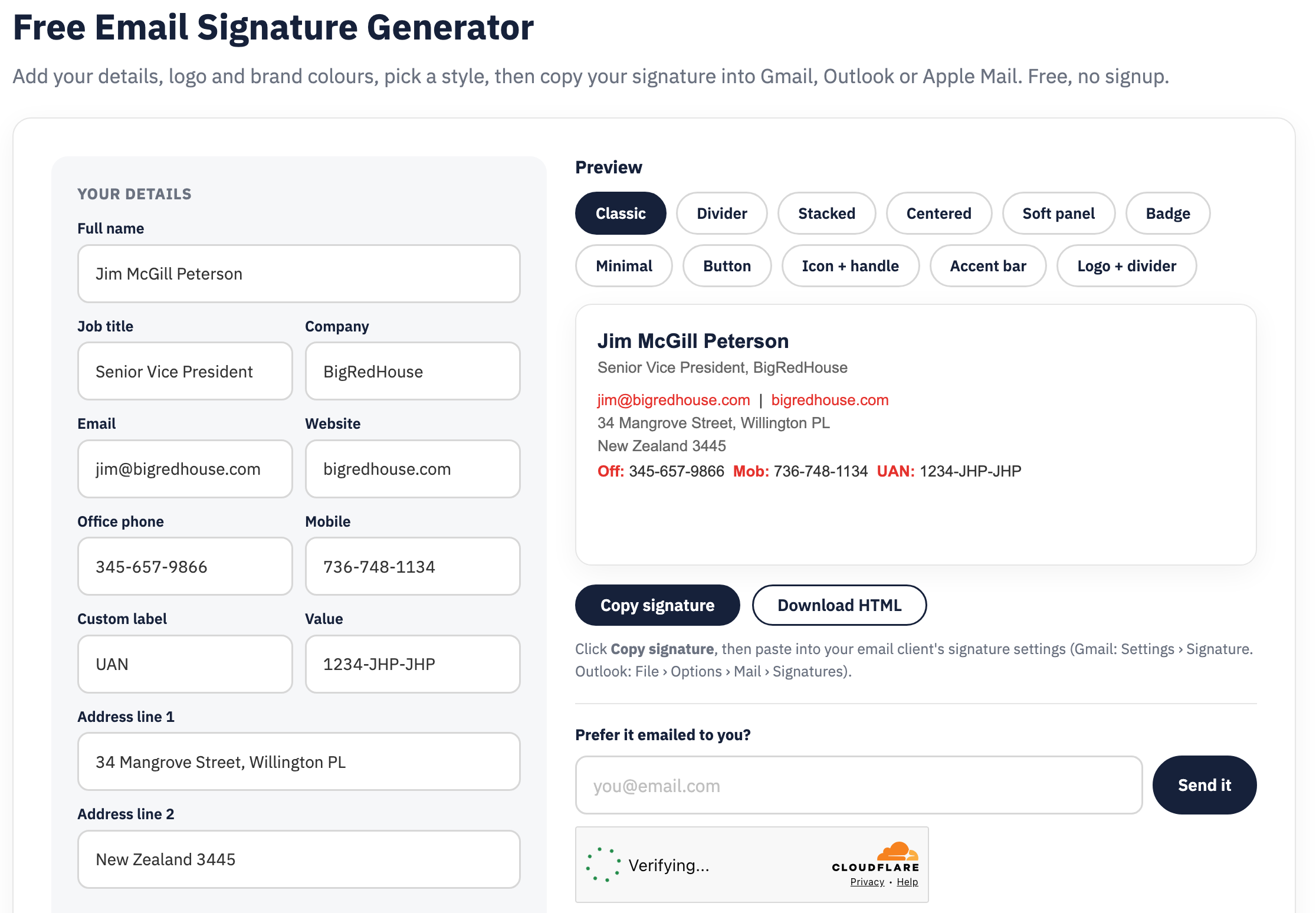
Fill in your details
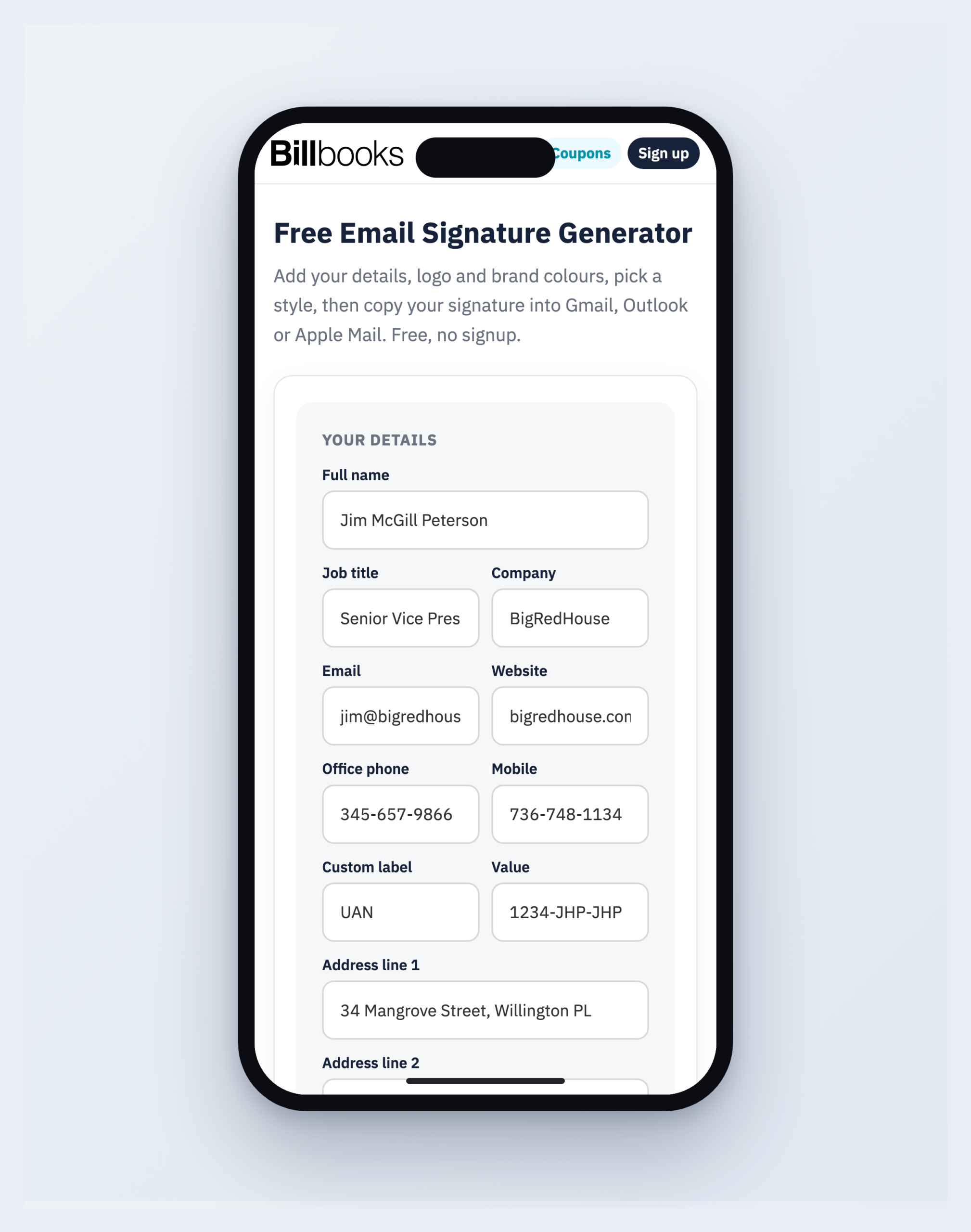
Name, title, company, contact info, and an optional custom label for anything else you need, a UAN, a GST number, a license number.
Upload your logo and set two brand colors
Your logo is auto-trimmed and resized. The two colors you set recolor every link, label and icon to match.
Pick a template and icon style
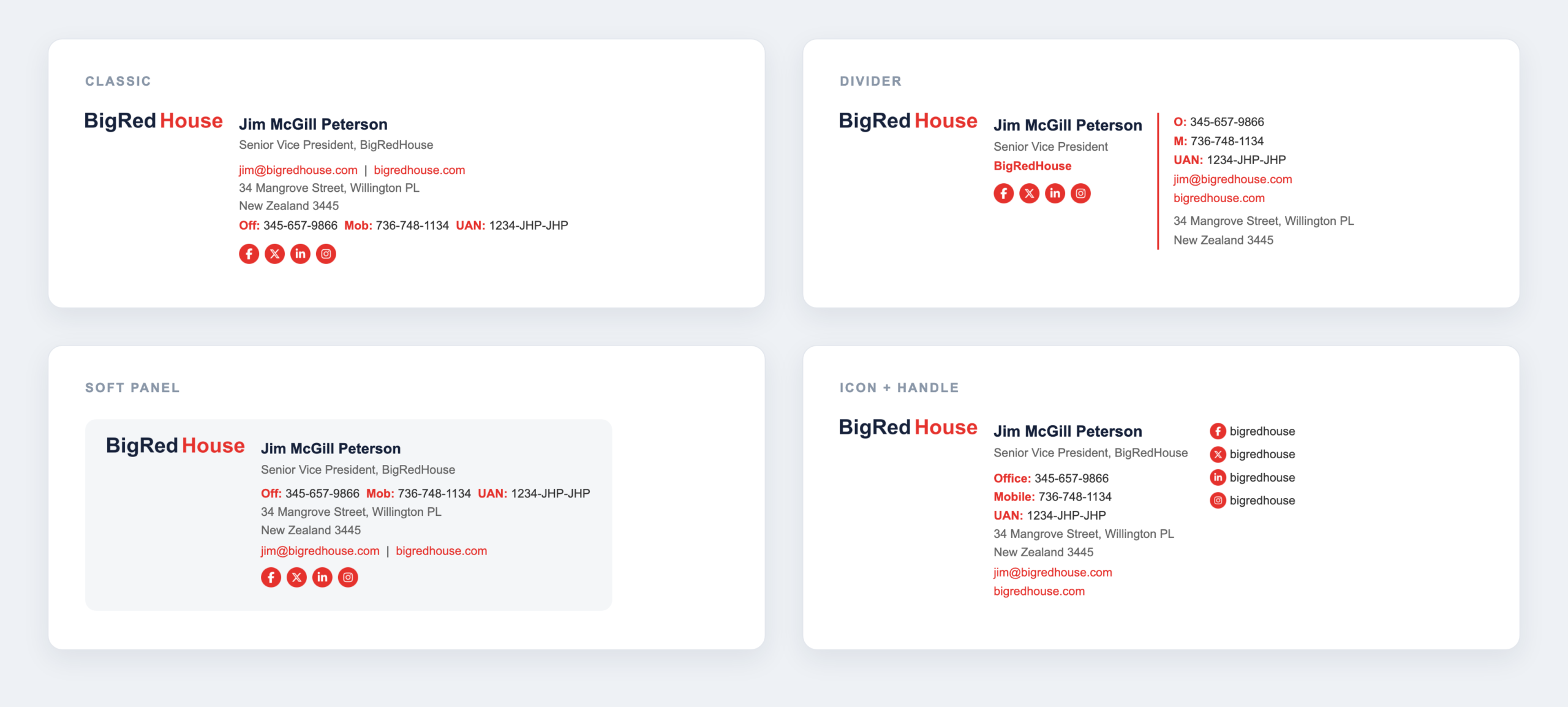
11 layouts to choose from, Classic, Divider, Stacked, Centered, Soft panel, Badge, Minimal, Button, Icon + handle, Accent bar, and Logo + divider, plus 3 icon styles: Circle, Solid, Line.
Copy or download
Click Copy signature and paste it into your email client, download the HTML file, or have it emailed straight to your inbox.
Build your free signature now
No signup, no watermark. Set your brand colors, pick a template, and copy a signature that works on any device, any email client, in seconds.
11 Templates, One Consistent Brand
Switch between templates live while you build, the same details and brand colors carry across every style, so you can compare a Minimal layout against a Badge or Accent bar version before deciding.
Works With the Networks and Clients You Actually Use
Add links for any of six networks, in whichever icon style matches your brand, circle, solid, or line. The signature itself is built to hold together across the three email clients almost everyone actually uses.
Looks Professional on Any Device, Any Operating System, Any Email Client
You cannot control what your recipient opens your email on, an iPhone at a coffee shop, an Android tablet, a Windows laptop running Outlook, or a Mac in Apple Mail. A signature built the way most page builders output HTML, with flexbox, grid, or background images, tends to fall apart on at least one of those. Billbooks’ generator uses table-based layout with inline styles, the same technique professional transactional emails use, so your logo, colors, text and social icons hold their exact position everywhere: any device, any operating system, any email client.
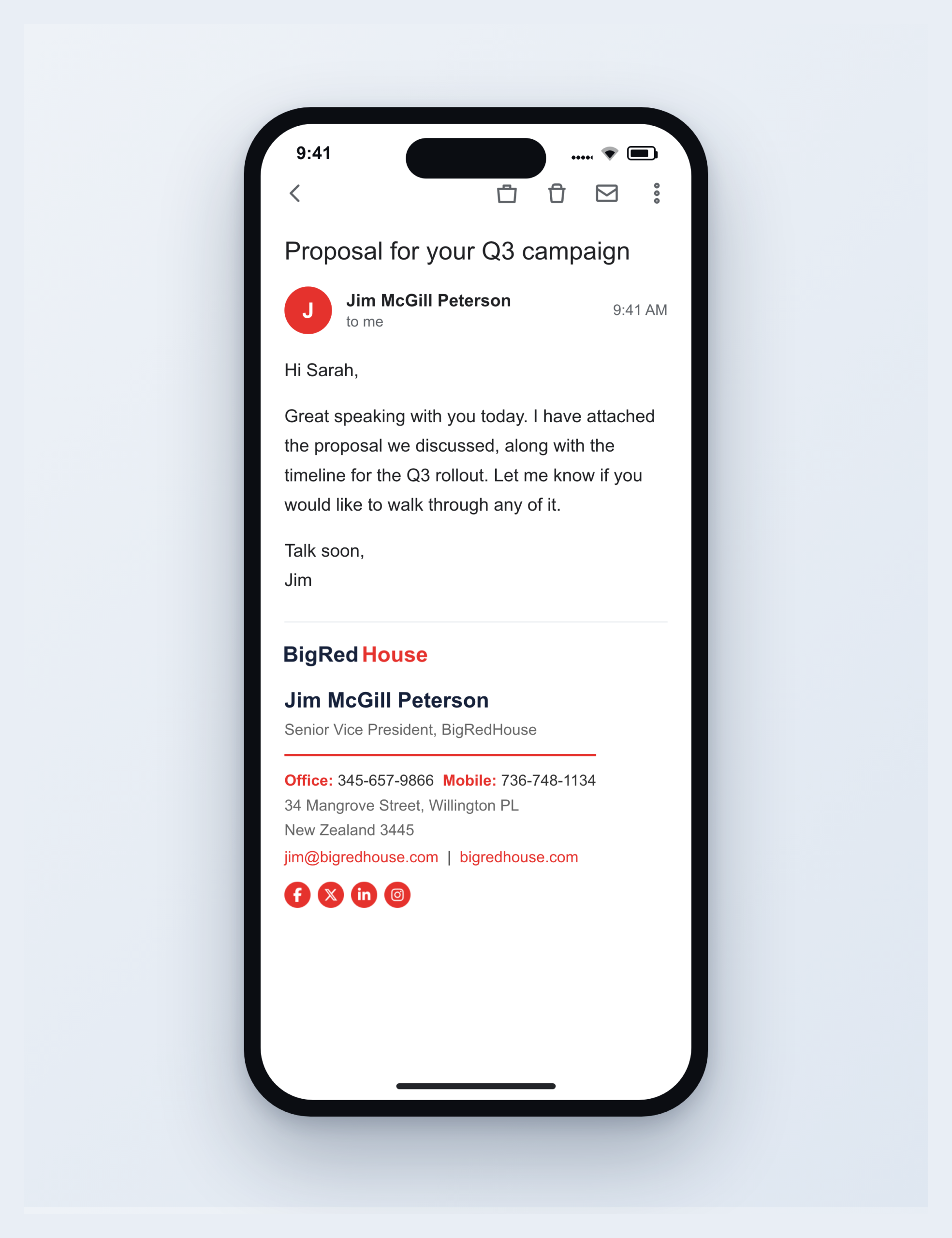
The builder itself is just as flexible. It is fully responsive, so you can put a signature together from your phone between meetings and finish it later on your laptop, or do the whole thing from your phone if that is what you have handy. Either way, you will have a signature ready to copy in seconds.
How to Add Your Signature in Gmail, Outlook and Apple Mail
Gmail
Open Settings (the gear icon), then See all settings, General, Signature. Create a new signature, paste yours in, and save changes at the bottom.
Outlook
Go to File, Options, Mail, Signatures (or Settings, Mail, Compose and reply on Outlook on the web). Create a signature, paste yours, and set it as the default for new messages.
Apple Mail
Open Mail, Settings, Signatures. Add a signature, then paste yours in. If formatting looks off, make sure "Always match my default message font" is unchecked.
What Makes a Signature Actually Work
- Keep it short. Name, role, company, one or two ways to reach you, and your key links. Clutter looks unprofessional.
- Match your brand. Use your logo and brand colors so every email reinforces who you are.
- Make links obvious. Email and website should be clickable, social icons should be recognizable.
- Design for every client. Table-based layout and inline styles hold together in Gmail, Outlook and Apple Mail, where most fancy generators break.
Send invoices that look as sharp as your signature
A free Billbooks account lets you create branded invoices, quotes and receipts, and get paid faster, all in one place.
If you are setting up your invoicing alongside your new signature, see how quotes and invoices work in Billbooks, browse the invoice template library, or check out the invoicing software built for freelancers. You might also want the free invoice generator and free quote generator from the same free-tools set. Related reading: Free Invoice Generator vs. Invoicing Software, Do You Need a Business Bank Account Before Your First Invoice?, and 5 Things Every New LLC Needs Before Taking On Clients.
FAQs
Is the Billbooks email signature generator really free?
Yes. Build as many signatures as you like, copy or download them, or have one emailed to you, free and with no signup.
Will my signature actually work in Outlook?
Yes. It uses table-based HTML with inline styles and hosted image icons instead of icon fonts, which is the format that holds up across Gmail, Outlook (including its Word rendering engine) and Apple Mail.
Can I use my own logo and brand colors?
Yes. Upload a logo, which is auto-trimmed and resized, or paste a hosted logo URL, and set two brand colors that recolor every link, label and icon in the signature.
Do I need a Billbooks account to use it?
No. The generator is open to anyone. A Billbooks account is only needed if you also want to send invoices, quotes and receipts.
What if I do not want to copy and paste it myself?
Use “Email it to me” and the finished signature lands in your inbox, or click Download HTML to save the file directly.
Will my signature look right on mobile and in every email client?
Yes. The signature is built with table-based HTML and inline styles, so it renders the same way on any device, phone, tablet or desktop, any operating system, and in every major email client, not just the one you happened to test it in.