
FreshBooks is capable accounting software. But if what you really need is to send professional invoices and get paid, Billbooks does that for a flat price, with more clients and users on the entry plan.
Both tools send branded invoices, take online payments, and send automatic payment reminders. Billbooks goes further on the invoicing workflow, with a built-in scheduler, bank reconciliation, digital signatures, and automatic follow-ups on quotes, all included on the entry plan, where FreshBooks gates several of these behind pricier tiers or does not offer them. And it starts at a flat price with more clients and users.
| Billbooks | FreshBooks | |
|---|---|---|
| Starting price (monthly)Billbooks Basic vs FreshBooks Lite | $7.95/mo | $23/mo |
| Price after any intro offer | Same flat price | Reverts to $23 to $70/mo |
| Free trial | 30 days, no card | 30 days |
| Billable clients | 100 to 500 by plan | 5 (Lite) or 50 (Plus) |
| Users included | 2 to 5 by plan | 1, then +$11/mo each |
| Automatic payment reminders | ||
| Automatic follow-ups on quotes | Invoices only | |
| Bank reconciliation | Included on Basic | Plus ($43) and up |
| Appointment scheduler | Not built in | |
| Digital signatures | Proposals only, Plus and up | |
| QR code to pay | Mobile app only | |
| Multi-currency invoicing |
Prices and features reflect FreshBooks’ public pricing pages and support documentation as of August 2026 and can change. FreshBooks list prices: Lite $23, Plus $43, Premium $70 per month; extra users +$11/mo. Per FreshBooks support docs: bank reconciliation requires the Plus plan or higher, digital signatures apply to Proposals on Plus and Premium, follow-ups on estimates are sent manually, and invoice QR codes are a mobile-app feature; FreshBooks has no native appointment scheduler. FreshBooks also offers deeper general accounting that Billbooks does not. Sources: freshbooks.com/pricing, FreshBooks support docs, billbooks.com/pricing.
One flat price, no intro cliff
You pay the same low price every month. There is no promotional rate that quietly jumps to $23 or more once the first few months are up.
More clients and users included
The entry plan covers 100 clients and 2 users, where FreshBooks Lite stops at 5 billable clients and charges $11 a month for every extra person.
Built to bill, not to bookkeep
If you do not need a full accounting ledger, Billbooks skips the learning curve and keeps you on the part that pays: invoices out, money in.
To be straight with you: FreshBooks is more than an invoicing app. It includes double-entry accounting, detailed time tracking, and deeper expense and project tools. If you want your full books and your invoicing living in one place and you are happy to pay for that breadth, FreshBooks is a solid choice. Billbooks is for people who mainly want fast, professional invoicing and getting paid, without paying for a full accounting suite.
No intro rate that resets later. This is the price you keep.
A plan built for high-volume transactions or business models that do not fit the mold.
Contact SalesReal reviews from people who send their own invoices
★★★★★
“I used to hate sending invoices and payment reminders. I never imagined a boring, cumbersome task could be this intuitive and fun.”
★★★★★
“I used to waste hours on invoicing. With Billbooks it is all done before my coffee gets cold, so I focus on growing my store.”
★★★★★
“We are always on the move, and Billbooks keeps our billing just as fast and reliable. No training needed, just invoices out and money in.”
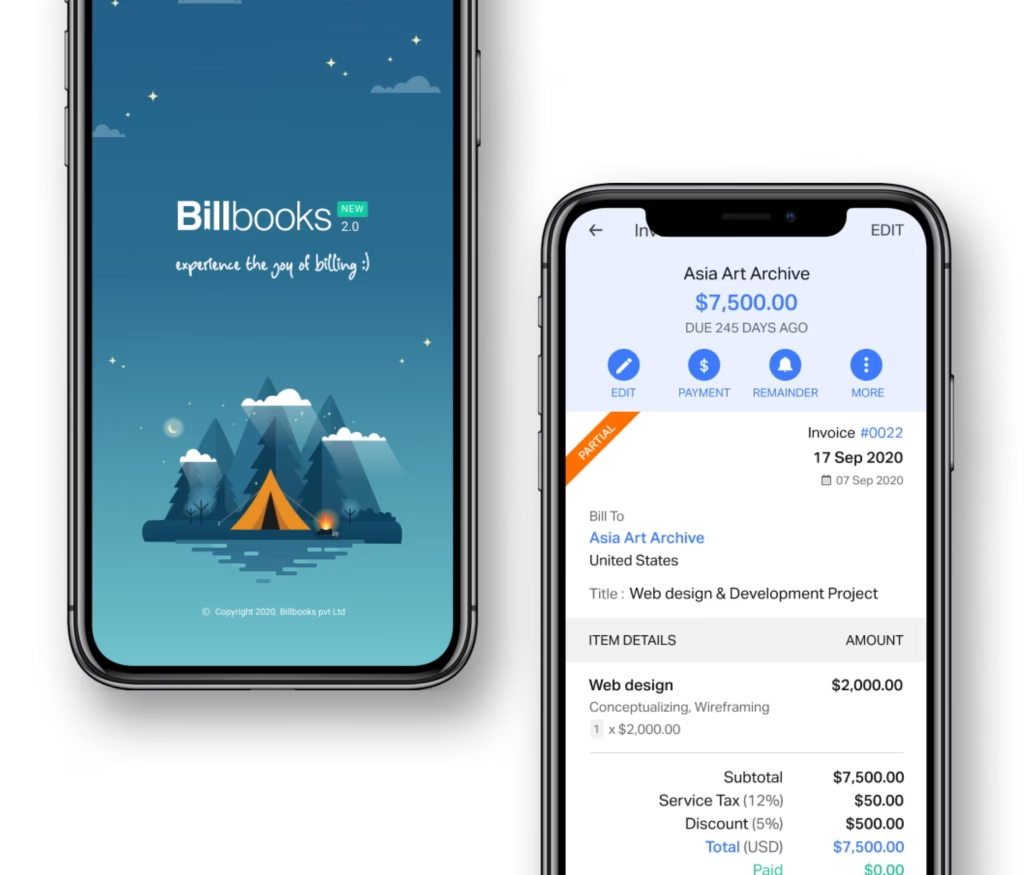
An app so good you will want to get tasks done instead of putting them off. Stay on track and keep your cashflow going.
Yes. Billbooks Basic costs $7.95 a month against FreshBooks Lite at $23, and Billbooks includes 100 clients and 2 users where Lite allows 5 clients and 1 user. The Billbooks price stays flat rather than reverting after an introductory period.
FreshBooks is full accounting software and Billbooks is not. FreshBooks offers double-entry bookkeeping, an accountant portal, deeper expense and bank-feed handling, and payroll integrations. If you need your books kept as well as your invoices sent, FreshBooks does more than Billbooks does.
Switch to Billbooks if invoicing is the job and accounting is not: you get a flat $7.95 a month, more clients and users, and quotes, estimates and reminders included. Stay with FreshBooks if you rely on its bookkeeping, accountant access or payroll.
Billbooks suits freelancers who send invoices and quotes and want one predictable price. Every core feature is on every paid plan, so a freelancer on the cheapest Billbooks plan gets recurring invoices, payment reminders and digital signatures that FreshBooks reserves for higher tiers.
FreshBooks Lite allows 5 billable clients and Plus allows 50. Billbooks Basic allows 100, rising to 500 on higher plans. For anyone with a real client list, that difference usually forces a FreshBooks upgrade well before the feature set does.
FreshBooks includes 1 user and charges about $11 a month for each additional one. Billbooks includes 2 users on Basic and up to 5 on higher plans at no extra cost, so a small team is not paying per head.
FreshBooks sends follow-ups on invoices, and estimate reminders are sent manually. Billbooks automates follow-ups on quotes as well as invoices, so an unanswered estimate is chased without anyone remembering to do it.
It depends on what you need. FreshBooks is full accounting software with time tracking and deeper reports, so if you want your entire books in one tool, it is strong. If your main job is sending professional invoices and getting paid, Billbooks does that for a flat price with more clients and users on the entry plan.
Not quite, on the invoicing workflow. Billbooks includes an appointment scheduler, bank reconciliation, digital signatures, and automatic follow-ups on quotes on its entry plan. FreshBooks has no native scheduler, gates reconciliation and e-signatures to higher tiers, and automates reminders on invoices but not on estimates. FreshBooks does, though, offer deeper general accounting that Billbooks leaves out.
Billbooks Basic is $7.95 a month and stays there. FreshBooks starts at $23 a month for the Lite plan after any introductory discount ends, and each extra user is $11 a month. Reaching unlimited billable clients on FreshBooks means the Premium plan at $70 a month.
Yes. You can set up your clients and start sending invoices in minutes, and our team can help you get your existing client list in. There is a 30-day free trial with no credit card required, so you can try before you switch.
Yes. Connect a supported payment gateway so clients pay straight from the invoice, and automatic reminders go out as the due date approaches and passes, the same core workflow you would expect from FreshBooks.
Billbooks focuses on invoicing, quotes, expenses, and getting paid, with reports for tax time. It is not a full double-entry accounting ledger. If that focus fits how you work, it keeps things simpler and cheaper.
A little kit of calculators and generators, on the house.
Weighing more than two tools? Read the FreshBooks alternative guide, or see which apps put every feature on every plan. Comparing your options? Billbooks also stacks up well on flat, transparent pricing. Popular with freelancers and small businesses. New to it? Try the free invoice generator first.
Compare Billbooks with others