
Point Billbooks at your own mail server and your invoices, quotes and reminders go out from your address, not ours. Your client sees your domain in the From line and replies land in your inbox. Available on the Professional plan.
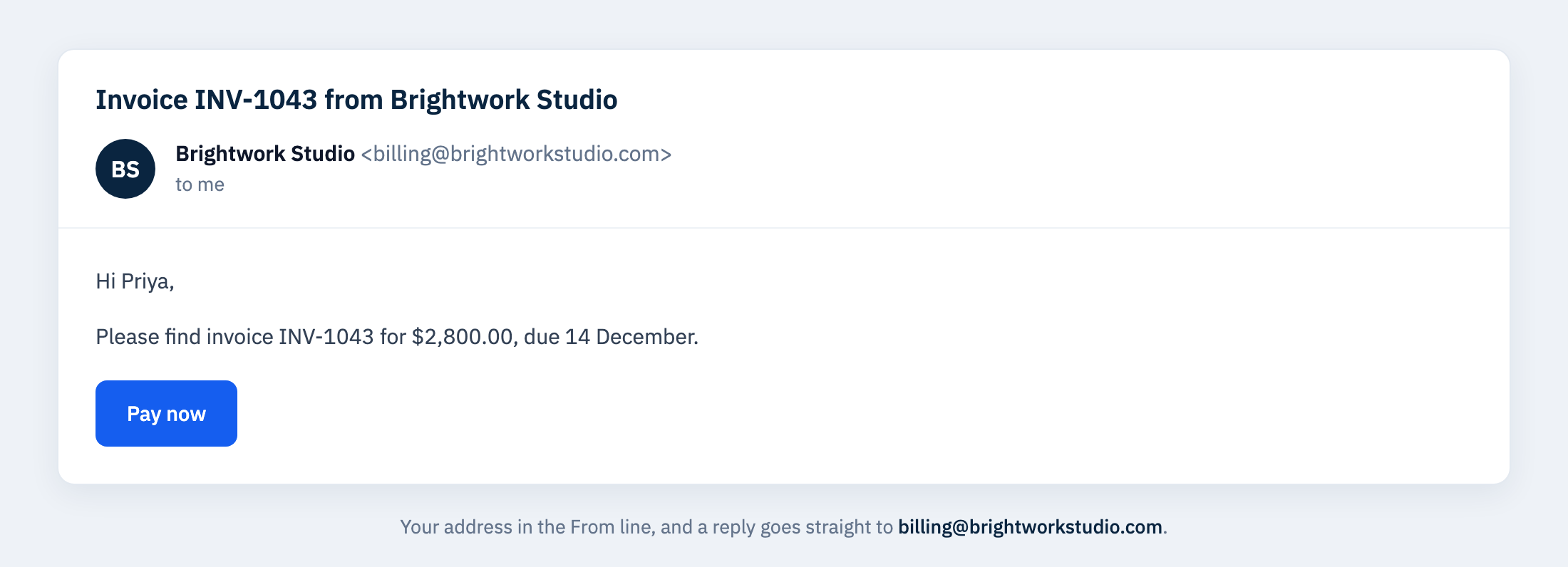
By default Billbooks sends your invoices for you, with your business name as the sender. That is fine for most people. But if you have spent years getting clients to recognise mail from your domain, if your accounts team keeps a shared billing mailbox, or if a client's spam filter trusts your domain and not a tool it has never seen, you want the invoice to leave from your address. Custom email sending does that, without you having to send anything by hand.
Open Settings, Email Templates, Email Sending
The tab sits next to your email templates. On a plan below Professional it shows what the feature does and a link to the plans.
Paste in your SMTP details
Host, port, encryption, username, password and the address you want to send from. Your email provider gives you all six.
Billbooks sends a real test email
Press Save and send test. Billbooks connects to your server and sends an actual message to your own address. Nothing is switched on unless that test arrives.
Your invoices go out as you
From then on invoices, quotes and reminders leave through your server. Turn it off whenever you like and your details stay saved.
If you have ever set up mail in Outlook or on a phone, this is the same handful of details. Port 587 with TLS is the usual answer, and it is what Billbooks starts you on.
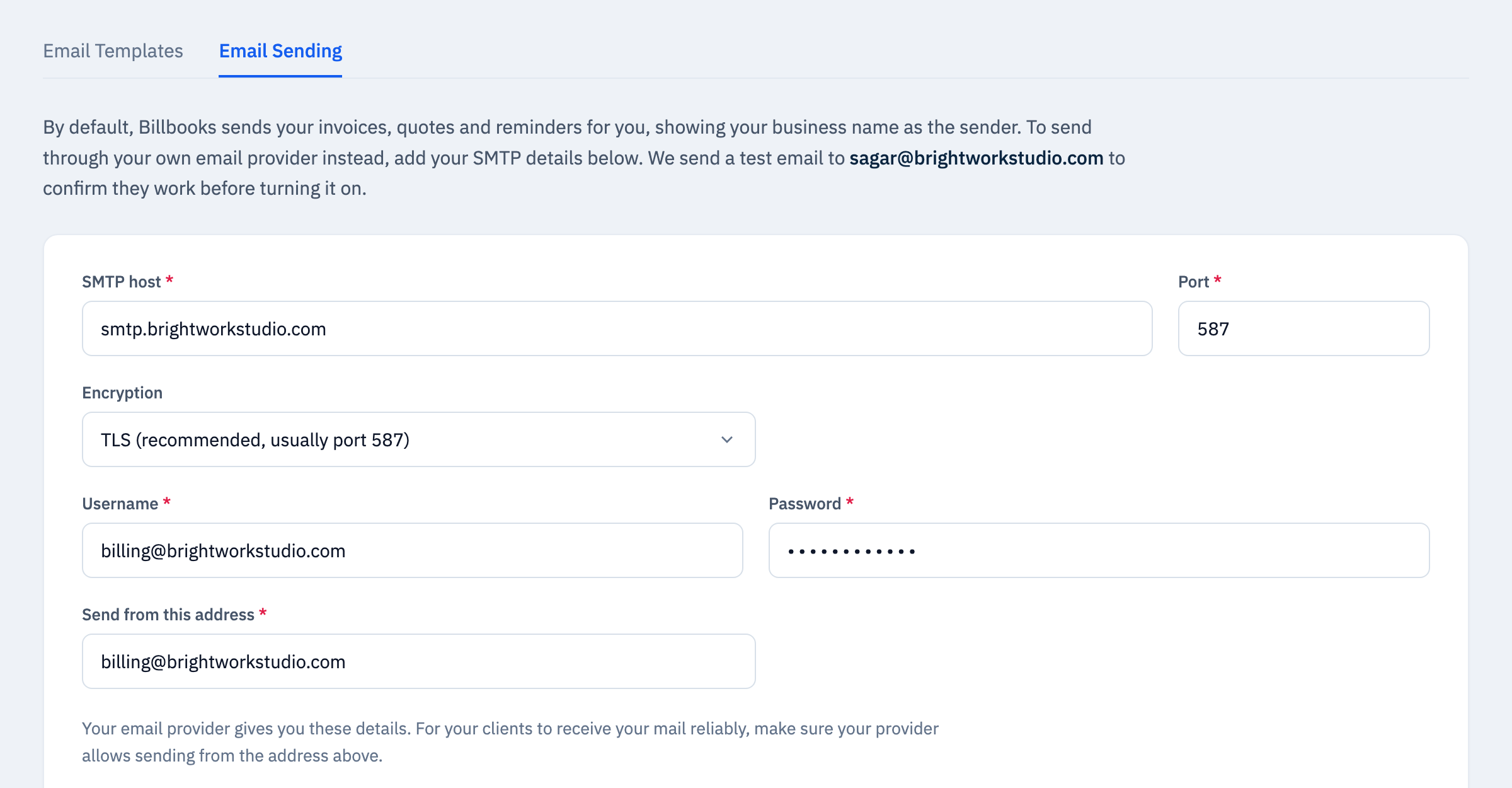
Wrong details in a mail setup usually mean silence: no error, no invoice, and nobody finds out until a client asks where it is. So Billbooks does not take your word for the settings. It sends a real message to your own address first, and only turns custom sending on when that message goes through.

Your server going down should not mean an unsent invoice. If Billbooks cannot reach it, or your provider refuses the message, it falls back and sends through Billbooks instead, the way it did before you turned this on. You get the invoice delivered first and the problem to fix second, rather than finding out a fortnight later that nothing left the building.
The Professional plan. On Basic or Standard the Email Sending tab explains the feature and links to the plans, and your invoices keep sending through Billbooks as normal in the meantime.
Six: your SMTP host, the port, the encryption type, your username, your password, and the address you want invoices to come from. Your email provider publishes all of these. Port 587 with TLS is the most common combination.
Both publish SMTP details that work here, though each may need an app password or a specific authentication setting on their side rather than your normal login. Check your provider documentation, then run the test send and you will know in seconds.
Nothing changes. Custom sending stays off and your invoices keep going out through Billbooks, so a failed setup attempt cannot interrupt your billing.
It depends on your domain, not on Billbooks. If your domain is properly set up with your provider, sending from it can help, because the address matches the business your client already deals with. If it is not, sending from it can do the opposite. Ask your provider whether your domain is cleared to send from the address you enter.
No. The invoice arrives from your address, and the Pay now link still opens the Billbooks payment page. Custom email sending changes who the mail comes from, not where the payment happens.
Yes, from the same screen, and your details stay saved so you can turn it back on without retyping them. Invoices go back to sending through Billbooks straight away.
It is encrypted before it is stored, and it is never sent back to the browser. When you reopen the screen the password field is blank and you can leave it blank to keep the saved one.
30-day free trial. No credit card required.
Try it FreePairs with Invoicing and Recurring Invoices, which both send through whichever server you choose here. Chasing late payers is Payment Reminders, and those go out from your address too.
See how Billbooks compares